
1. What is AirDroid Web (In-Depth)?
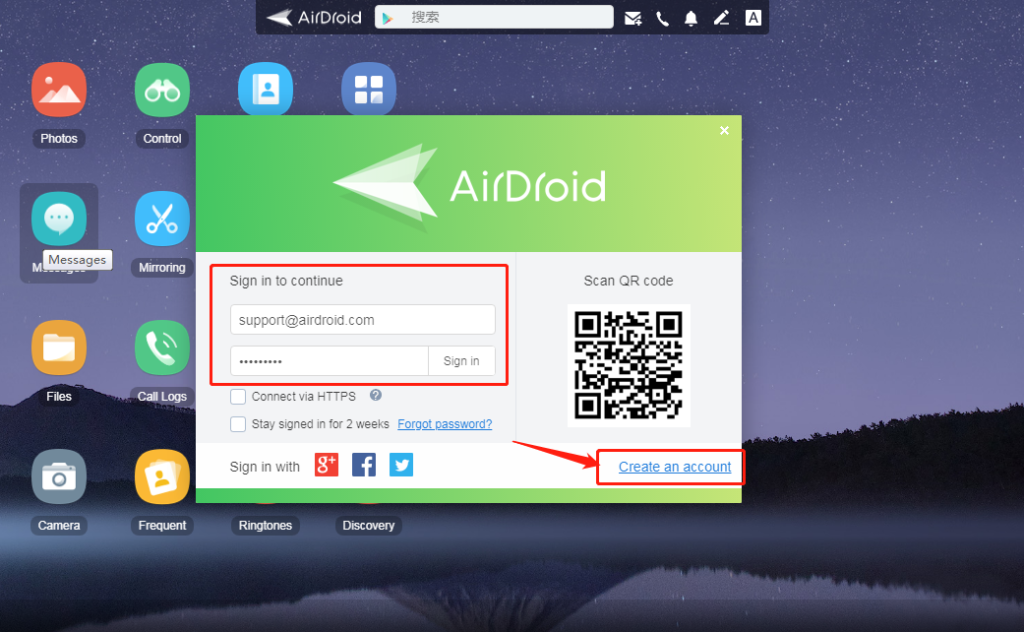
AirDroid Web is a browser-based dashboard that connects to your Android phone or tablet over Wi-Fi or the internet, giving you a full suite of remote tools — file transfer, SMS, screen mirror, notifications, camera, and more.
Behind the scenes, it uses:
Wi-Fi Direct for high-speed transfers in local networks
HTTPS + RSA Encryption for secure data handling
WebSocket connections to sync in real time
2. Key Modules & Deep Features
2.1 File Manager
View, download, upload, delete, or move any files
Supports large file transfers
Send folders as ZIPs
Drag & drop to/from your PC browser
2.2 Messages & Notifications
Read & send SMS from your PC
Sync app notifications (WhatsApp, Instagram, Telegram, etc.)
Mute or manage notifications remotely
Respond to messages in real-time
2.3 Remote Camera
Access rear or front camera live from a browser
Use it as a security camera or to monitor surroundings
Option to take snapshots remotely
2.4 Screen Mirroring (AirMirror)
Real-time screen sharing
Requires additional setup (AirMirror app & permissions)
Some features (like control) need root or PC client
2.5 App Management
Install/uninstall APKs remotely
View installed apps
Export APKs for backup
2.6 Find My Phone
Track phone on a map
Remote lock, ring, or wipe
Set alerts for lost mode
Great anti-theft solution
3. Who Should Use It?
| User Type | Why It’s Useful |
|---|---|
| Students | Transfer study materials, manage phone notifications while studying |
| Office Professionals | Send/receive messages, transfer files between work phone & PC |
| Travelers | Locate lost device, control it from any browser |
| Tech Support / IT Teams | Remotely troubleshoot, transfer apps or media, screen mirror |
| Content Creators | Mirror screen for tutorials or live demos |
4. Security & Privacy
Local-only mode keeps data off the internet
Use Two-Factor Authentication (2FA)
Ability to log out from all sessions remotely
Block individual modules (e.g., disable file transfer)
5. AirDroid Web vs Other Tools
| Feature | AirDroid Web | SHAREit | Your Phone (Windows) | Pushbullet |
|---|---|---|---|---|
| File Transfer | ✅ Local + Remote | ✅ | ❌ | ❌ |
| Screen Mirroring | ✅ Yes (advanced) | ❌ | ✅ (basic) | ❌ |
| App Management | ✅ APK tools | ❌ | ❌ | ❌ |
| Notification Sync | ✅ Full control | ❌ | ✅ | ✅ |
| Remote Camera | ✅ Yes | ❌ | ❌ | ❌ |
| SMS from PC | ✅ Full access | ❌ | ✅ | ✅ |
6. Tips to Boost Your AirDroid Experience
📍 Use desktop + mobile app together for full access
🔐 Turn on remote permission prompts for safety
💨 Use LAN-only mode for fastest speeds
🌙 Set “Do Not Disturb” during working hours to block unnecessary alerts
📸 Use the remote camera to check your room or pet while away
7. Setup Tools You'll Need:
| Platform | Tool/Link |
|---|---|
| Android App | AirDroid on Play Store |
| Browser Interface | web.airdroid.com |
| Screen Mirror App | AirMirror (optional) |
| Desktop Client | AirDroid Personal for PC (optional for advanced features) |

How useful was this post?
Click on a star to rate it!
Average rating 5 / 5. Vote count: 1
No votes so far! Be the first to rate this post.